










Say it. Keep working.

Hold fn and say what you need, or type it. Preverb does the clicking in its own browser, out of your way.

For Macs with Apple silicon and macOS 14 or later. Free to start, with 200 credits and no card.

It works out of sight.

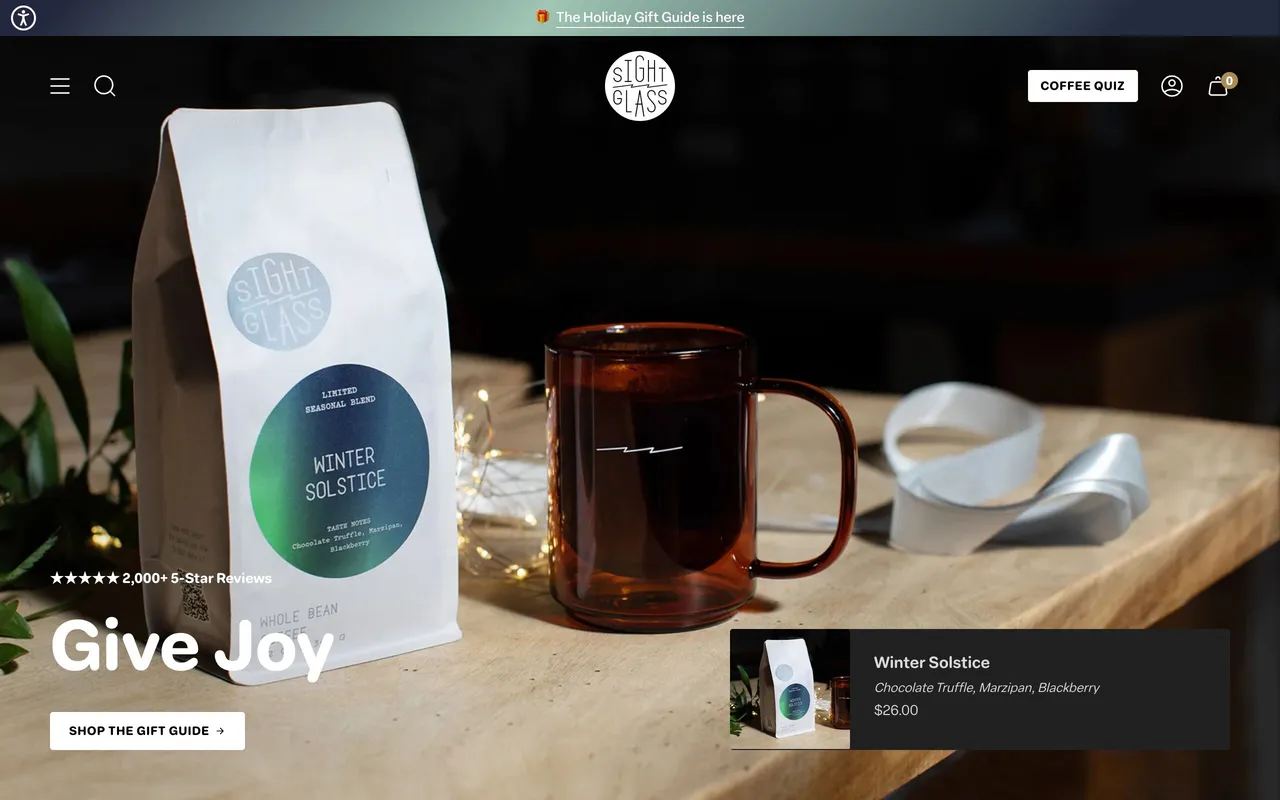
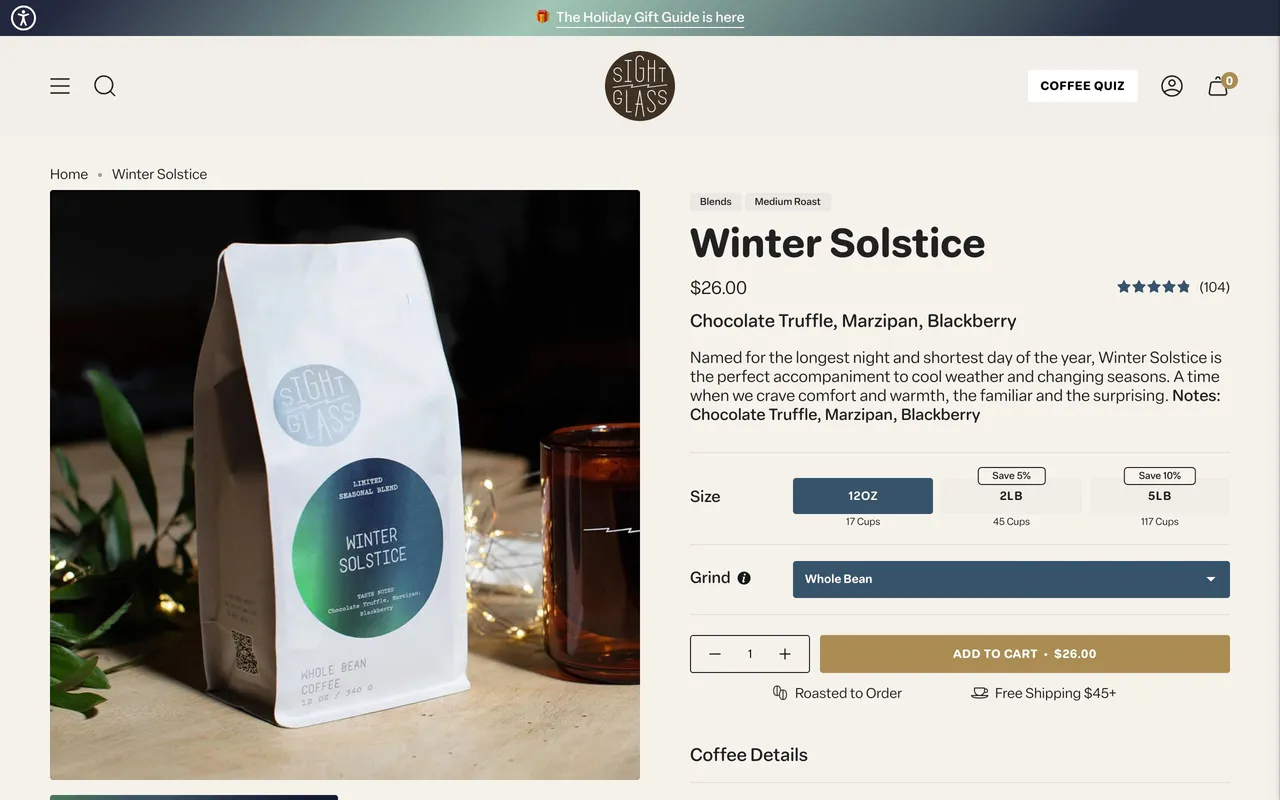
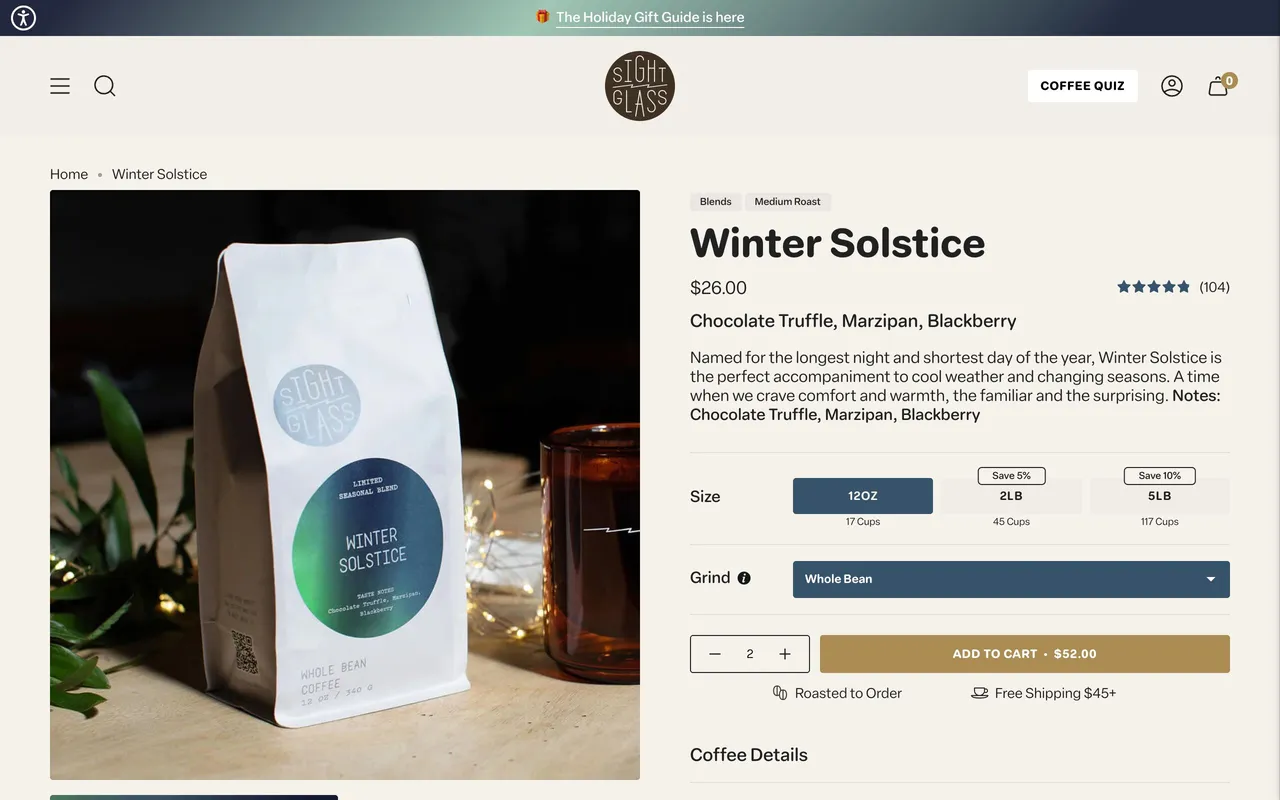
Preverb’s browser runs in the background, so your windows, mouse and keyboard stay yours. When you want to watch, the mini desktop in the corner grows to full size, right where it is.

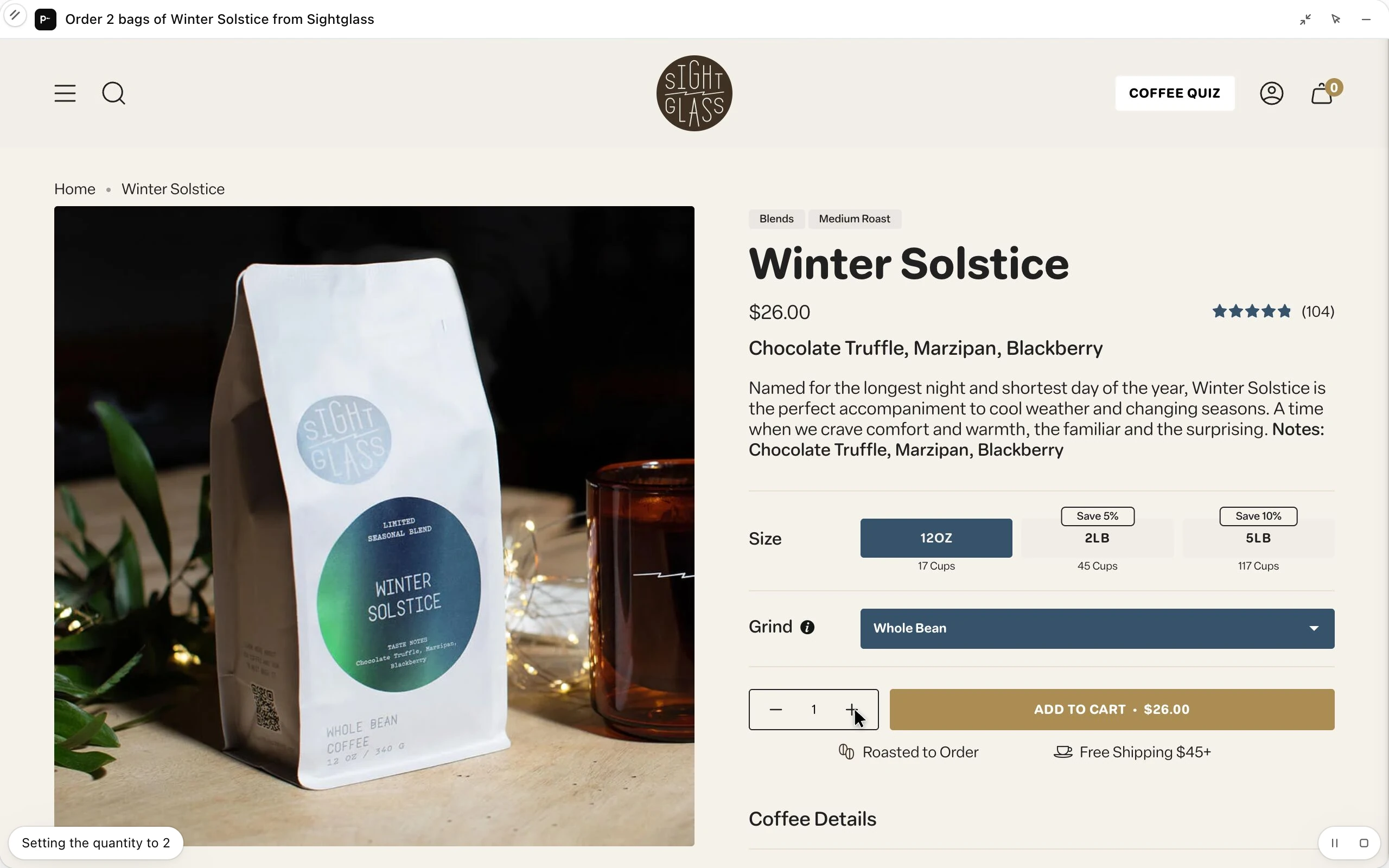
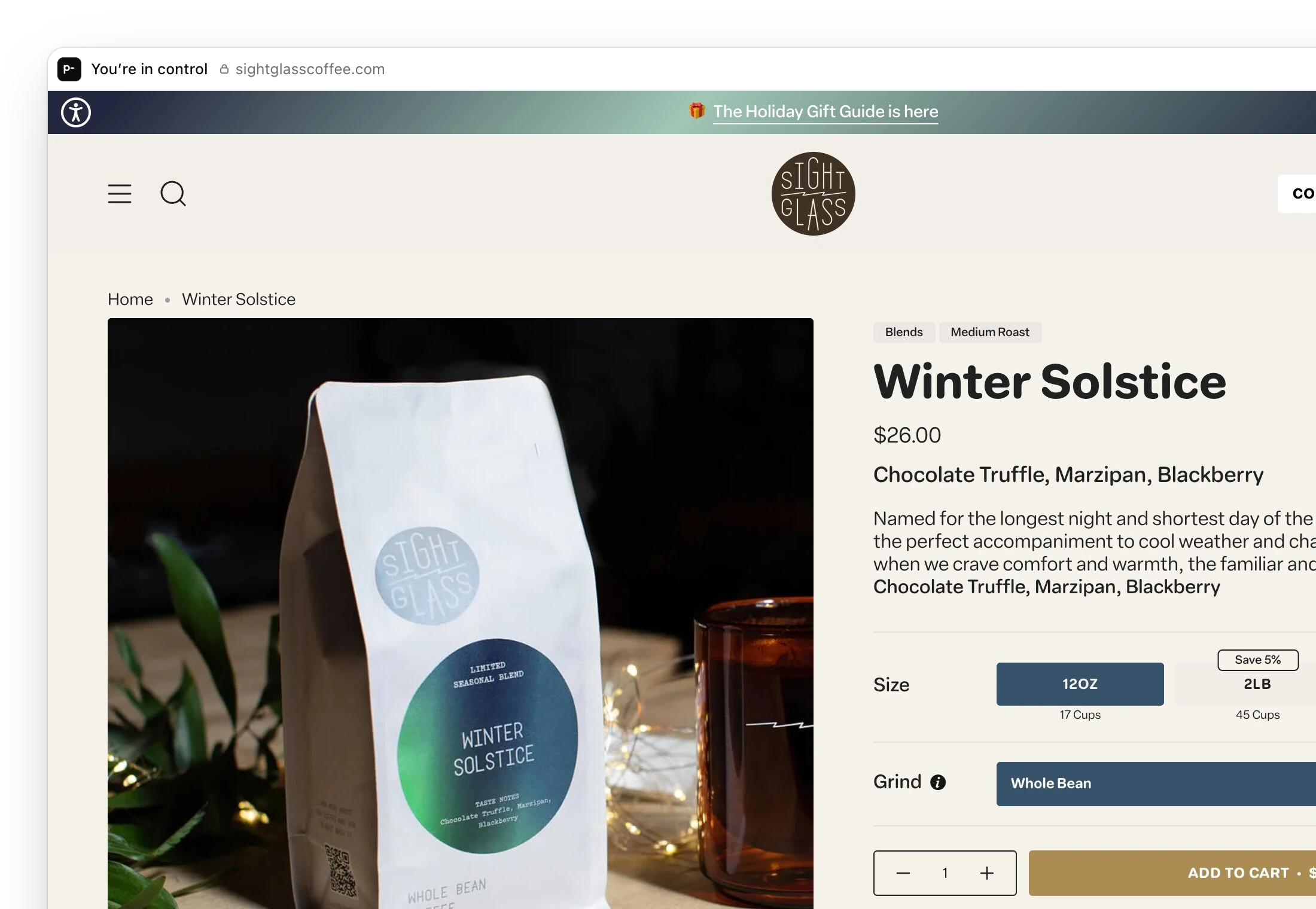
The mini desktop at full size with its controls showing: Preverb’s browser on the Sightglass coffee store, setting the quantity of Winter Solstice to 2, for the task Order 2 bags of Winter Solstice from Sightglass.
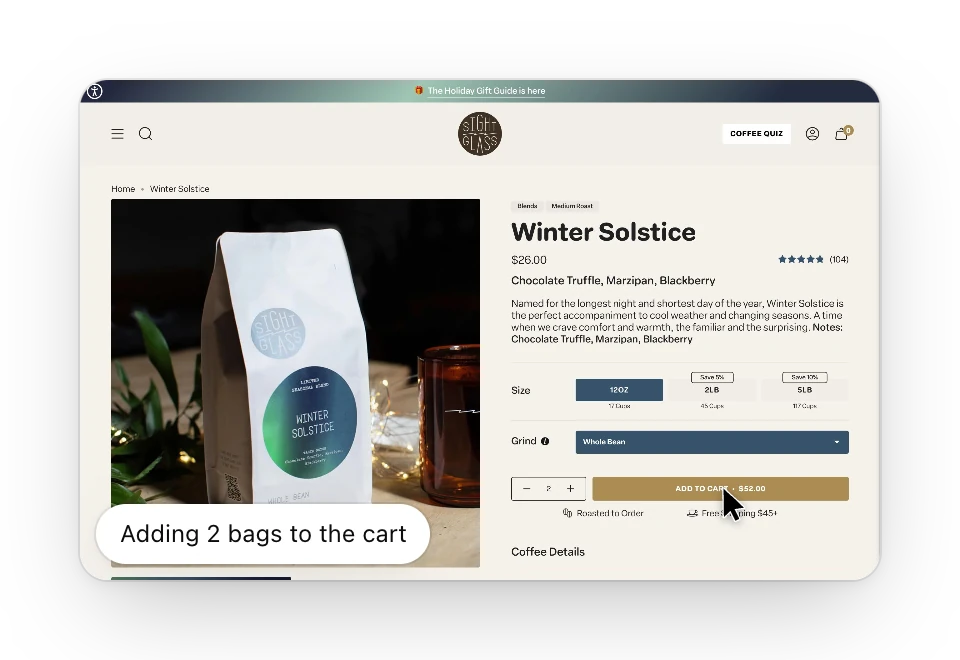
The mini desktop in the corner, showing Preverb’s browser on the Sightglass coffee store as it adds two bags of Winter Solstice to the cart.

Ask in your own words.

Preverb works out the sites, the steps and the order. These are the kinds of things people hand it, and how each one ended.

  • AWS, Figma, Notion

    “Grab last month’s invoices from AWS, Figma and Notion and drop them in my expenses folder.”
    Done: Saved 3 invoices to Documents/Expenses.
  • Sightglass

    “Order two more bags of the Winter Solstice from Sightglass.”
    Done: 2 bags in your cart, $46.80. Paying is up to you.
  • CA DMV

    “Is there an earlier road test slot anywhere near me?”
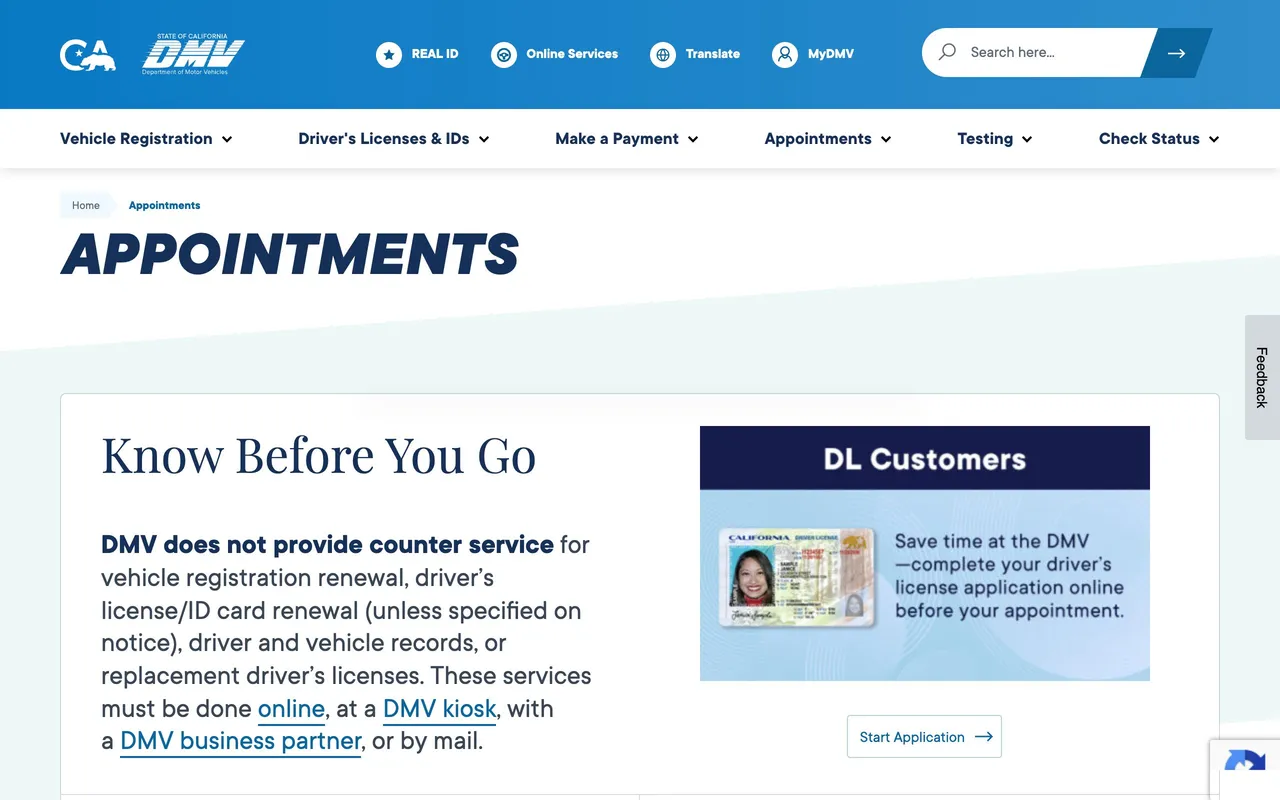
    Done: Dec 3 at 10:20 AM in San Mateo. Nothing booked.
  • Gmail, Linear

    “Turn the new bug emails into Linear issues for Platform.”
    Done: Filed 4 issues, each linked back to its thread.
  • Stripe, Google Docs

    “Fill in this week’s numbers in the Weekly Metrics doc.”
    Done: Added this week’s row: $48.2k volume, 31 new customers.
  • Google Calendar

    “Put the dentist appointment from this email on my calendar.”
    Done: Added Thursday at 3:30 PM, with a reminder the day before.
  • Harvest

    “Submit my Harvest timesheet for the week.”
    Done: Submitted 38.5 hours for approval.
  • Zoom

    “Download the recording of yesterday’s design review.”
    Stopped: Zoom asked you to sign in again, so I stopped there.
  • Slack

    “Post the release notes in #launch.”
    Waiting for your OK: Drafted in #launch. Waiting for you to press Post.
  • Gmail

    “Reply to Dana that the contract is approved.”
    Done: Sent, after you said “send”.

Ask from any app, without switching windows.

Preverb lives in a small pill at the bottom of your screen, just above the Dock.

  1. Hold fn, or type

    Talk from any app and let go to send; the pill’s edge lights with your voice. Double-tap fn to keep talking hands-free, or click the pill (or press ⌥Space) to type instead.

  2. Say it

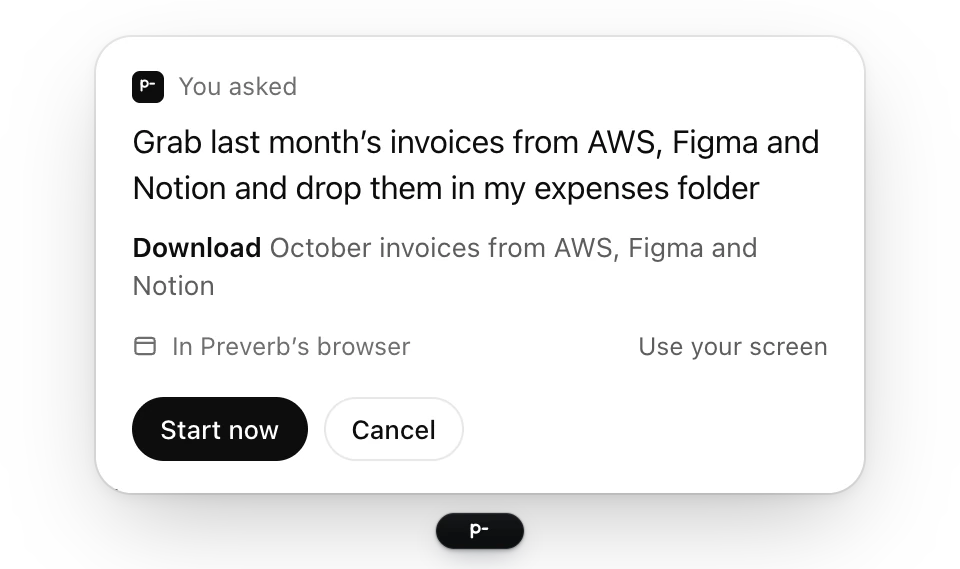
    Use your own words. A card above the pill says what Preverb is about to do and gives you two seconds to cancel. Anything risky waits for Start.

    A card above the pill: You asked, grab last month’s invoices from AWS, Figma and Notion and drop them in my expenses folder. Preverb’s plan: download October invoices from AWS, Figma and Notion, in Preverb’s browser, with Start now and Cancel.
  3. It’s done

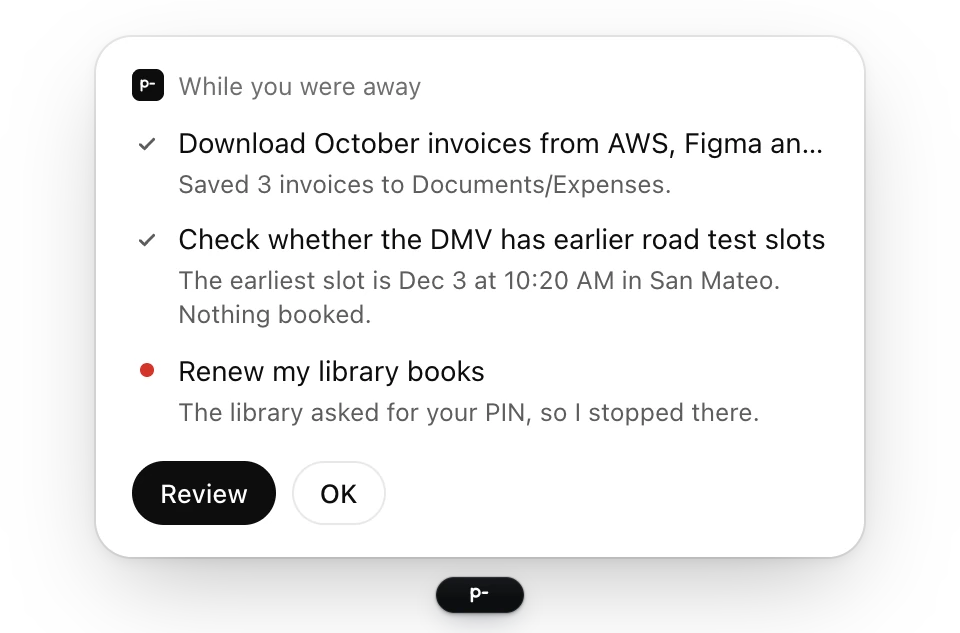
    The pill draws a check. Results wait above it, along with anything it stopped to ask you about.

    A card above the pill: While you were away. Downloaded October invoices, checked the DMV for earlier road test slots, and stopped at the library’s sign-in because it asked for your PIN.

Talk, type, or just let it run.

The same pill takes a request however you give it, sends email and messages through your own accounts, and keeps going while you work.

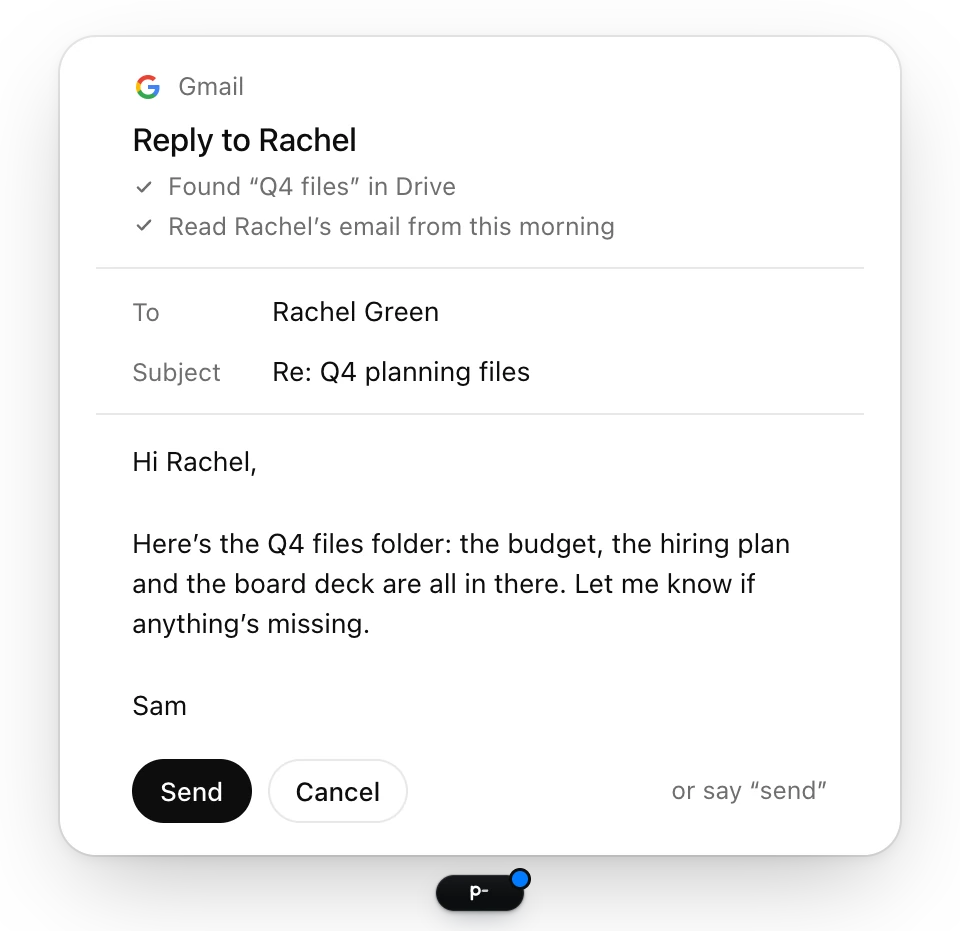
A draft card above the pill: Gmail, Reply to Rachel. Found Q4 files in Drive and read Rachel’s email from this morning. To Rachel Green, subject Re: Q4 planning files, a short note with the folder, and Send, Cancel, or say send.

Email and messages, drafted for your OK

Connect Google (Gmail, Calendar, Drive and Docs), Slack, Notion and Linear, and Preverb does those requests through their own APIs. You get a draft card to read and edit, and nothing sends, posts or books until you press Send or say “send”.

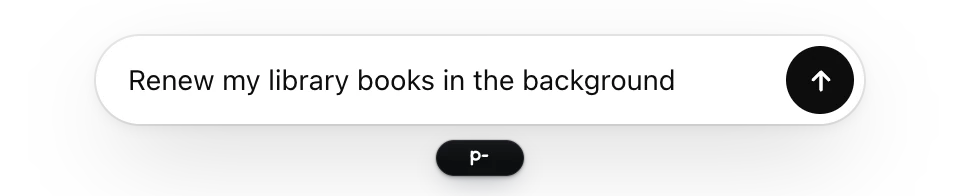
The field above the pill, with a request typed in: Renew my library books in the background, and the send button.

Type when you can’t talk

Click the pill or press ⌥Space and a field opens above it. Return sends; ↑ brings back your last request.

Dictate into any text field

In a text field, what you say is typed the moment you let go: tidied lightly, never reworded. Say “Preverb, …” when it’s for Preverb instead.

Send it to the background

Hold ⇧ as you let go, or end with “in the background”. It runs out of sight, and the pill keeps a dot until it’s done.

Follow up in your own words

“Actually, make it two.” “Try it another way.” Preverb remembers the task you just gave it, so a follow-up carries on from where it was.

On your screen, when it needs to be

Say “on my screen” to use your own browser, with your sign-ins and autofill. The edges of your display glow softly while it works there, brightening each time it clicks, and touching the mouse or keyboard pauses it.

Hand off the chores you repeat.

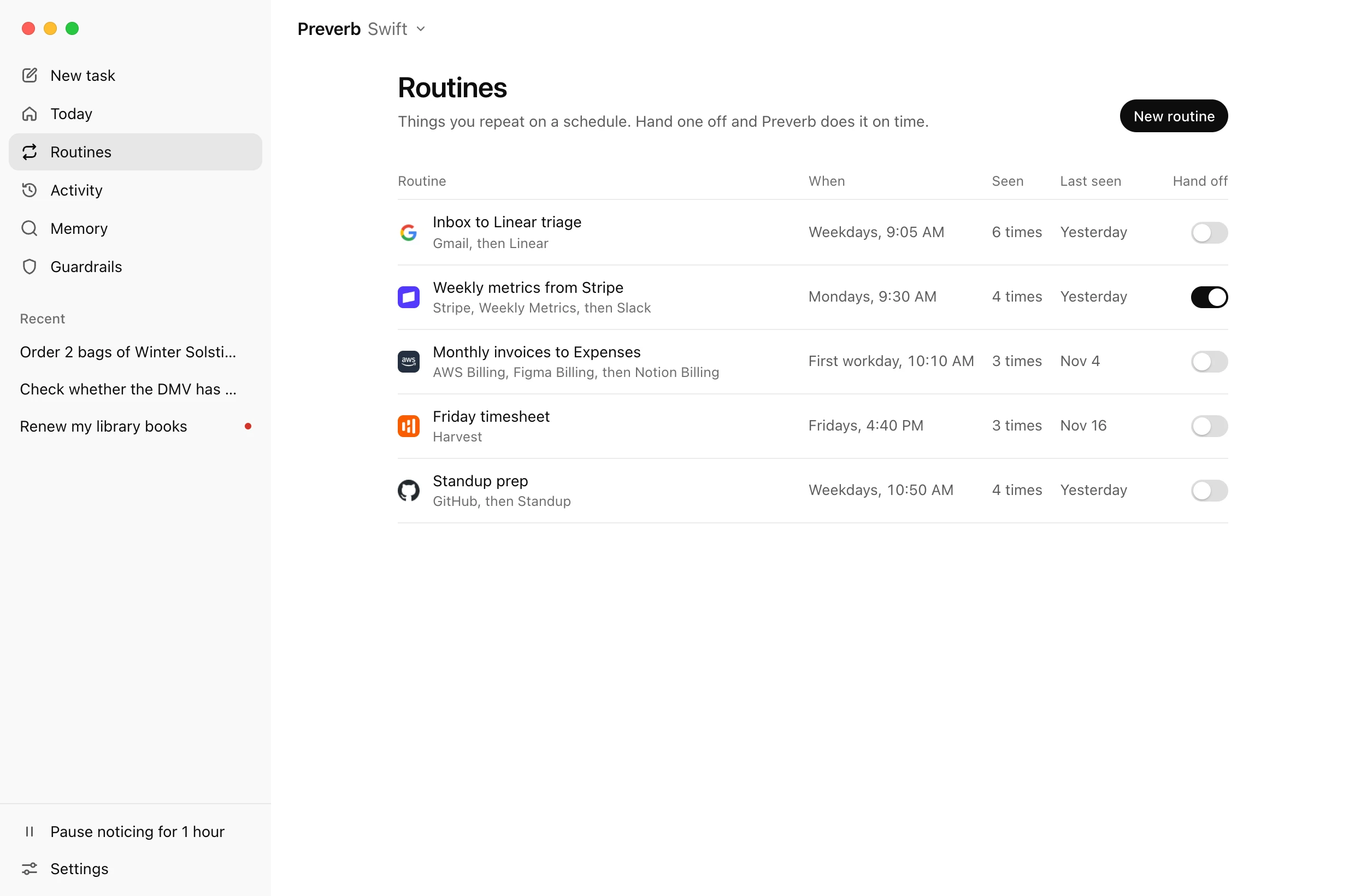
Preverb notices what you do at the same time each day or week, like Monday’s metrics or Friday’s timesheet, and offers to do it around the usual time. Turn on Hand off and it runs on schedule.

  1. Weekly metrics from Stripe, Mondays, 9:30 AM

  2. Monthly invoices to Expenses, First workday, 10:10 AM

  3. Inbox to Linear triage, Weekdays, 9:05 AM

Learns the chores that cross sites

Stripe into your metrics doc, invoices into your expenses folder, bug emails into Linear: once it has seen the pattern, it can carry it from one site to the next.

Offers them at the usual time

Suggestions rise above the pill with why now. Do it now, in 30 minutes, or not now.

48 minutes

  1. Monday: 6 minutes
  2. Tuesday: 9 minutes
  3. Wednesday: 4 minutes
  4. Thursday: 12 minutes
  5. Friday: 8 minutes
  6. Saturday: 5 minutes
  7. Sunday: 4 minutes

Saved this week

Today keeps count: the tasks you handed off this week, and about how much time they saved you.

Hand off, and it runs on schedule

Every routine has a switch. Turn it on and Preverb does it at the usual time, then tells you how it went.

The Routines page: Inbox to Linear triage on weekdays at 9:05 AM, Weekly metrics from Stripe on Mondays at 9:30 AM with Hand off on, Monthly invoices to Expenses on the first workday, Friday timesheet, and Standup prep.

Everything it did,
in one place.

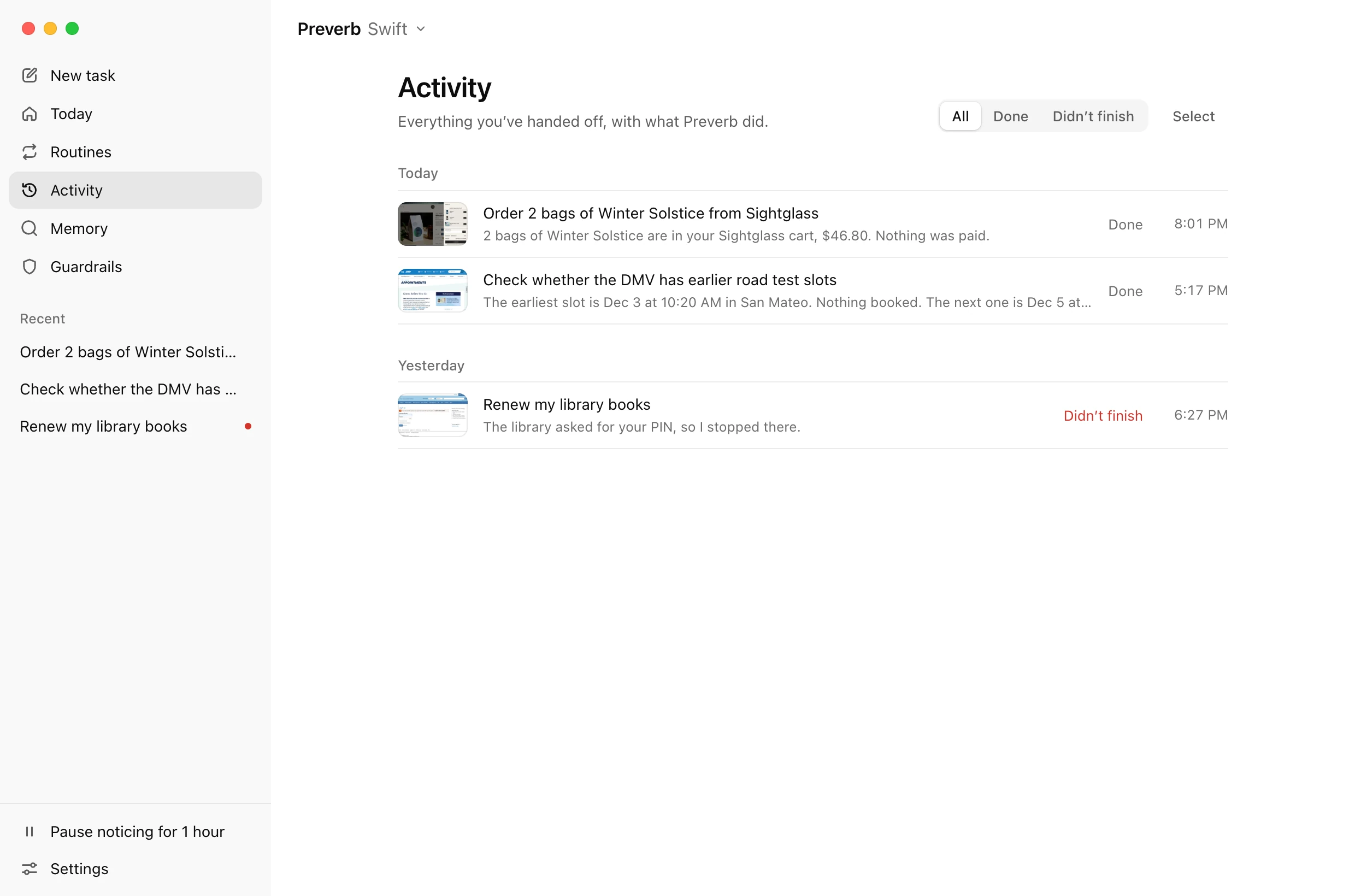
Every task you’ve handed off, and how it ended. Open one to replay it step by step.

The Activity page: today’s hand-offs, ordering two bags of Winter Solstice from Sightglass and checking the DMV for an earlier road test, each marked Done, and yesterday’s library renewal, which didn’t finish.
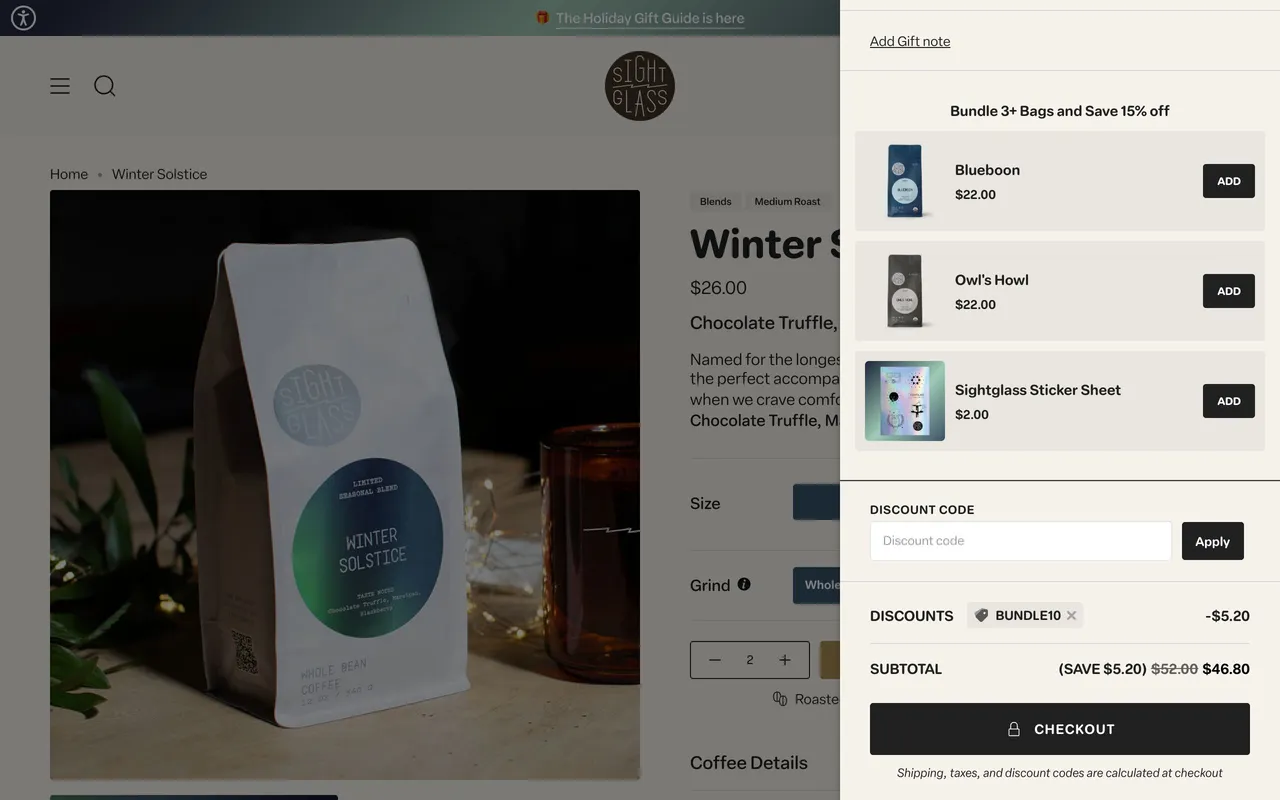
The Sightglass cart with two bags of Winter Solstice, $46.80, and the checkout button Preverb left for you.

It asks before it sends or deletes, and never pays on its own.

Before every click, Preverb checks the actual button under its pointer. Sending, posting, deleting, sharing and account changes wait for your OK, and you can block any of them outright. Paying is blocked unless you choose to be asked.

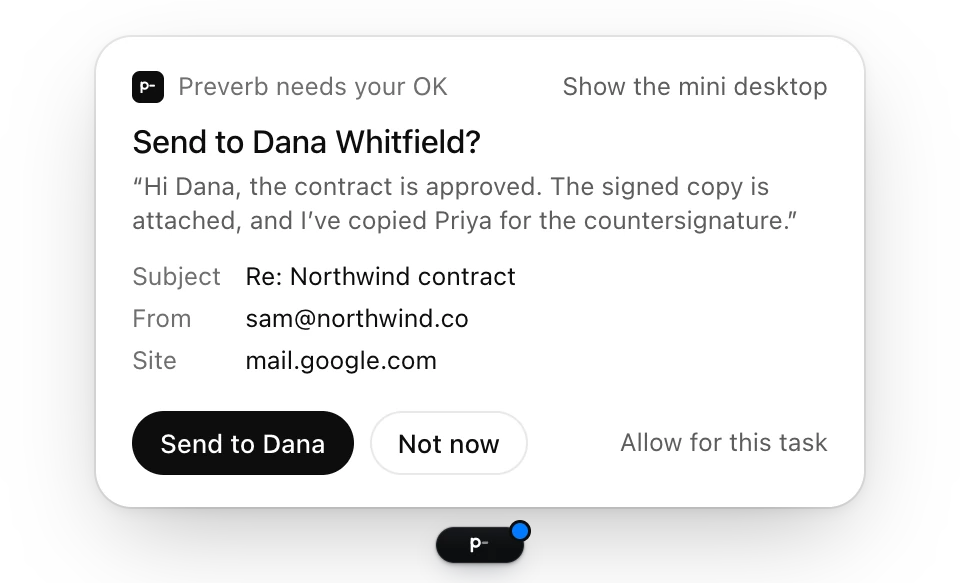
Above the pill, Preverb needs your OK: Send to Dana Whitfield? The message, its subject, the account it’s from and the site, with Send to Dana, Not now, and Allow for this task.
  • Never types passwords, card numbers or one-time codes
  • Stops a task on your screen when you press Esc twice, from any app
  • Stays off sites you block, and off adult sites unless you turn them on and confirm you’re 18

Search anything you’ve seen, kept on your Mac.

Screen memory, if you turn it on, saves the text of the window in front, never images, to one file on your Mac. Search it like your inbox.

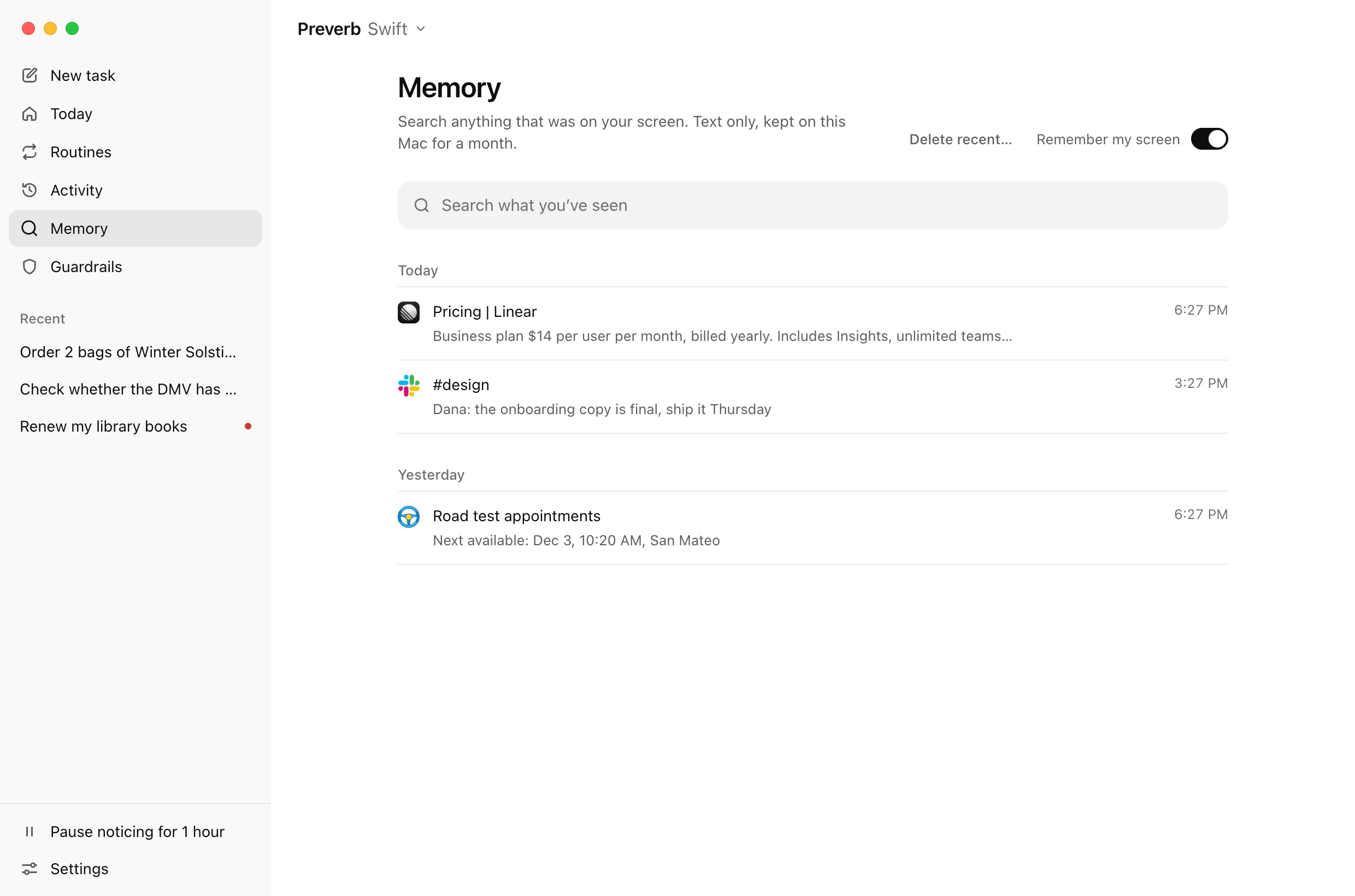
The Memory page: a search box, and results such as Pricing in Linear and Road test appointments, next available Dec 3, 10:20 AM, San Mateo.
  • Password managers, incognito windows, apps you exclude and sites you block are never read
  • When you ask, your voice and the request go to OpenAI’s models, with the window in front’s text only when the request is about it, and screenshots of the screen a task works on. Preverb asks OpenAI not to store any of it. Connected accounts talk to Google, Slack, Notion and Linear straight from your Mac.

Start free. Pay for what it does.

No API key to set up: sign in with your email and you have 200 credits to try it. Go Pro when you use it every day.

Free

$0

200 credits to try Preverb

  • Sign in with your email, no API key to set up
  • No card needed
  • Upgrade from inside Preverb when you’re ready
Download for Mac

Pro

$20a month

1,000 credits a month

  • Cancel any time; Pro lasts to the end of the period you paid for
  • Top up any time: $10 for 500 credits that don’t expire
  • Sign in with your email, no API key to set up
Download for Mac
One credit is 1¢ of AI cost. Here’s what things usually take.
  • Dictating a messageA fraction of a credit
  • A quick task1 to 3 credits
  • A long task on your screenAbout 15 credits

Hold fn. Hand it off.

For Macs with Apple silicon and macOS 14 or later. Free to start, with 200 credits and no card.